Text and tables
You have a stack of inspection reports and you need what’s inside them: who got inspected, when, how many violations, and the table listing each one. This page works through a single report — a fake slaughterhouse inspection borrowed from The Jungle — but every move on it is the same move you’d make on a real filing.
Open the PDF
Section titled “Open the PDF”PDF(...) takes a file path, a URL, or raw bytes. .pages is the list of pages; grab the first one and look at it.
from natural_pdf import PDF
pdf = PDF("pdfs/01-practice.pdf")page = pdf.pages[0]page.show()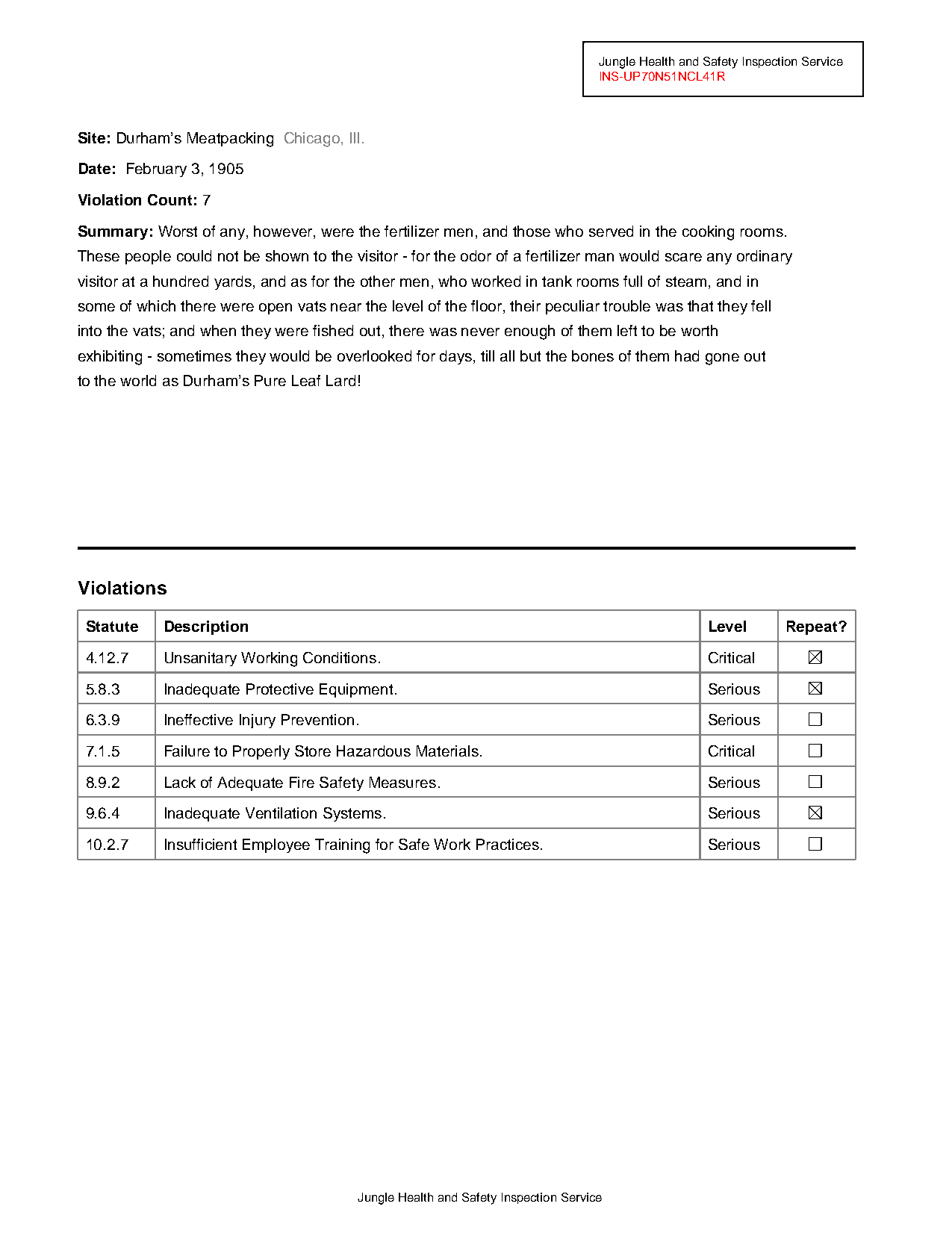
.show() returns a PIL image, so page.show().save("page.png") writes it to disk if you need the file.
Grab the text
Section titled “Grab the text”Most of the time you want the words. extract_text() gives you all of them.
text = page.extract_text()print(text)Jungle Health and Safety Inspection Service
INS-UP70N51NCL41R
Site: Durham’s Meatpacking Chicago, Ill.
Date: February 3, 1905
Violation Count: 7
Summary: Worst of any, however, were the fertilizer men, and those who served in the cooking rooms.
These people could not be shown to the visitor - for the odor of a fertilizer man would scare any ordinary
visitor at a hundred yards, and as for the other men, who worked in tank rooms full of steam, and in
some of which there were open vats near the level of the floor, their peculiar trouble was that they fell
into the vats; and when they were fished out, there was never enough of them left to be worth
exhibiting - sometimes they would be overlooked for days, till all but the bones of them had gone out
to the world as Durham’s Pure Leaf Lard!
Violations
Statute Description Level Repeat?
4.12.7 Unsanitary Working Conditions. Critical
5.8.3 Inadequate Protective Equipment. Serious
6.3.9 Ineffective Injury Prevention. Serious
7.1.5 Failure to Properly Store Hazardous Materials. Critical
8.9.2 Lack of Adequate Fire Safety Measures. Serious
9.6.4 Inadequate Ventilation Systems. Serious
10.2.7 Insufficient Employee Training for Safe Work Practices. Serious
Jungle Health and Safety Inspection ServiceEverything is there, but it’s a stream — labels, values, table cells, and the footnote all run together. If you want a version that keeps the visual arrangement, pass layout=True:
print(page.extract_text(layout=True))Jungle Health and Safety Inspection Service
INS-UP70N51NCL41R
Site: Durham’s Meatpacking Chicago, Ill.
Date: February 3, 1905
Violation Count: 7
Summary: Worst of any, however, were the fertilizer men, and those who served in the cooking rooms.
These people could not be shown to the visitor - for the odor of a fertilizer man would scare any ordinary
visitor at a hundred yards, and as for the other men, who worked in tank rooms full of steam, and in
some of which there were open vats near the level of the floor, their peculiar trouble was that they fell
into the vats; and when they were fished out, there was never enough of them left to be worth
exhibiting - sometimes they would be overlooked for days, till all but the bones of them had gone out
to the world as Durham’s Pure Leaf Lard!
Violations
Statute Description Level Repeat?
4.12.7 Unsanitary Working Conditions. Critical
5.8.3 Inadequate Protective Equipment. Serious
6.3.9 Ineffective Injury Prevention. Serious
7.1.5 Failure to Properly Store Hazardous Materials. Critical
8.9.2 Lack of Adequate Fire Safety Measures. Serious
9.6.4 Inadequate Ventilation Systems. Serious
10.2.7 Insufficient Employee Training for Safe Work Practices. Serious
Jungle Health and Safety Inspection ServiceThat’s readable, but “readable” isn’t “extracted.” To pull out specific pieces — the date, the site, the violation count — you need a way to point at them.
Describing what you want
Section titled “Describing what you want”Look at the inspection ID, INS-UP70N51NCL41R (squint: it spells UPTON SINCLAIR). How would you describe it to someone over the phone?
- “It’s in a box”
- “It’s the second piece of text on the page”
- “It’s the red text”
- “It starts with INS-”
Each of those descriptions is a selector. All four roads lead to the same element.
“It’s in a box”
Section titled ““It’s in a box””The box is a rectangle element. page.find() takes a CSS-like selector and returns the first match — or None if nothing matches, so check before chaining onto the result.
page.find('rect').show(crop=50)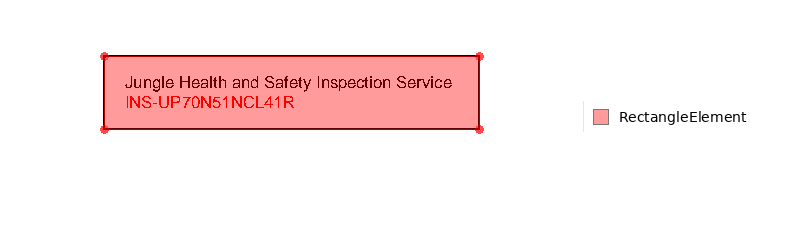
crop=50 renders just the element plus a margin of context instead of the whole page — bigger number, more surroundings.
“It’s the second piece of text”
Section titled ““It’s the second piece of text””find_all() returns every match as a collection.
page.find_all('text').show()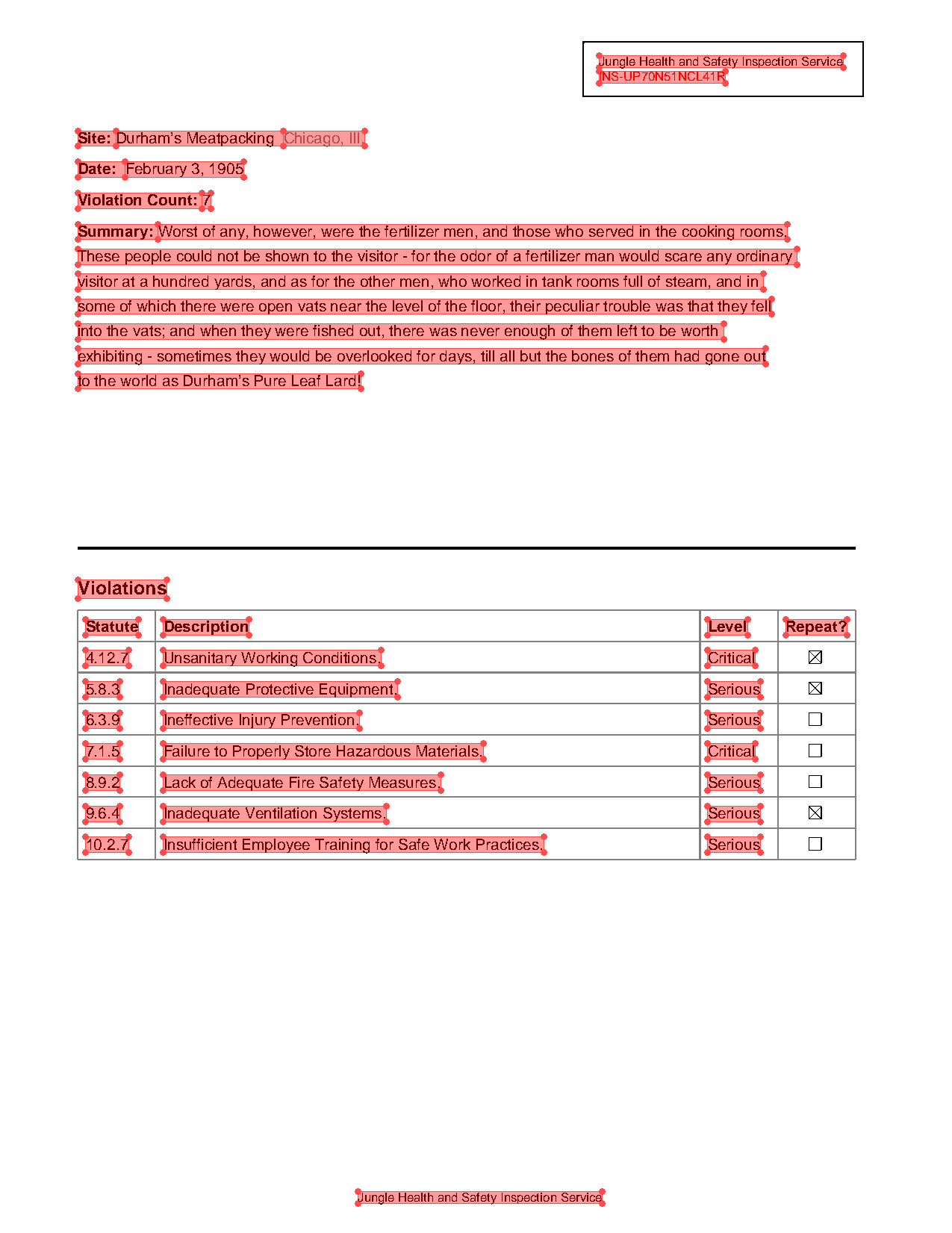
extract_each_text() gives you one string per element, in reading order:
texts = page.find_all('text').extract_each_text()texts[:5]['Jungle Health and Safety Inspection Service',
'INS-UP70N51NCL41R',
'Site:',
'Durham’s Meatpacking',
'Chicago, Ill.']So the second piece of text is:
texts[1]'INS-UP70N51NCL41R'Counting positions works until a report adds a line and everything shifts by one. The next two descriptions hold up better.
“It’s the red text”
Section titled ““It’s the red text””Square brackets filter by attributes. color~= is an approximate match — it tolerates the almost-but-not-quite-red that PDFs actually use.
ins_id = page.find('text[color~=red]')ins_id.show(crop=50)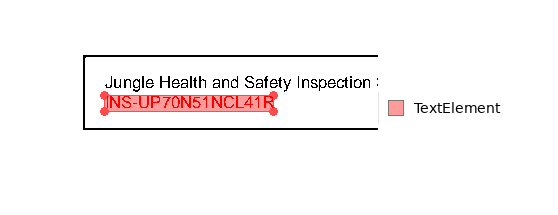
Same box, different road — this time the highlight is on the text element itself, which knows its own content:
ins_id.extract_text()'INS-UP70N51NCL41R'The same trick works for other colors — “Chicago, Ill.” is the grey text:
page.find('text[color~=grey]')<TextElement text='Chicago, I...' font='Helvetica' size=10.0 bbox=(182.26000000000002, 84.07000000000005, 234.50000000000003, 94.07000000000005)>That’s the element’s repr, not its text — call .extract_text() when you want the string.
“It starts with INS-”
Section titled ““It starts with INS-””Pseudo-classes match on content: :contains("INS-") matches anywhere in the text, :starts-with("INS-") anchors to the front.
code = page.find('text:starts-with("INS-")')code.show(crop=20)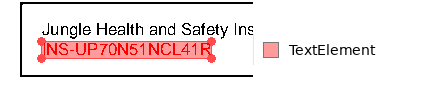
code.extract_text()'INS-UP70N51NCL41R'Learning what’s on the page
Section titled “Learning what’s on the page”Those selectors assumed you already knew the ID was red and 8 pt. On an unfamiliar PDF, ask the page to describe itself:
page.describe()Page 1 Summary
Page Info:
- page number: 1
- dimensions: 612 x 792 pts
Overview:
- total elements: 73
- type breakdown: Word: 44, Line: 21, Rect: 8
Word:
- typography:
- fonts:
- Helvetica: 44
- sizes:
- 10.0pt: 40
- 8.0pt: 3
- 12.0pt: 1
- styles: 9 bold, 1 strike
- colors:
- black: 42
- other: 2
Rect:
- size stats:
- width range: 8-180
- height range: 8-35
- avg area: 844 sq pts
- styles:
- stroke: 8
- fill: 8
- stroke widths:
- 0.5: 7
- colors:
#000000: 8
Line:
- length stats:
- min: 11
- max: 500
- avg: 279
- line widths:
- 0.5: 6
- 2.0: 1
- orientations:
- horizontal: 10
- vertical: 5
- diagonal: 6
- colors:
#808080: 14#000000: 7
44 words, 21 lines, 8 rects, one font. For element-by-element detail, inspect() prints a table of every element and its attributes — limit caps the rows:
page.find_all('text').inspect(limit=8)Collection Inspection (44 elements)
Word Elements
| text | x0 | top | x1 | bottom | font_family | font_variant | size | styles | source | confidence | color |
|---|---|---|---|---|---|---|---|---|---|---|---|
| Jungle Health and Safety Inspection Service | 385 | 36 | 542 | 44 | Helvetica | 8 | native | 1.00 | #000000 | ||
| INS-UP70N51NCL41R | 385 | 46 | 466 | 54 | Helvetica | 8 | native | 1.00 | #ff0000 | ||
| Site: | 50 | 84 | 74 | 94 | Helvetica | 10 | bold | native | 1.00 | #000000 | |
| Durham’s Meatpacking | 74 | 84 | 182 | 94 | Helvetica | 10 | native | 1.00 | #000000 | ||
| Chicago, Ill. | 182 | 84 | 235 | 94 | Helvetica | 10 | native | 1.00 | #808080 | ||
| Date: | 50 | 104 | 81 | 114 | Helvetica | 10 | bold | native | 1.00 | #000000 | |
| February 3, 1905 | 81 | 104 | 157 | 114 | Helvetica | 10 | native | 1.00 | #000000 | ||
| Violation Count: | 50 | 124 | 130 | 134 | Helvetica | 10 | bold | native | 1.00 | #000000 | |
| Showing 8 of 44 elements (pass a higher limit to see more) |
Those size, font_family, and color columns are exactly what goes inside the square brackets. max() and min() work in attribute filters too — here’s the largest text on the page, no hardcoded size:
page.find_all('text[size=max()]').show(crop=50)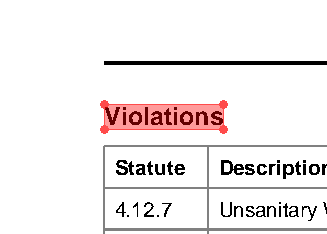
That’s the bold 12 pt “Violations” heading. Hold that thought — it becomes the anchor for the table later.
Spatial navigation
Section titled “Spatial navigation”Labels like “Date:” and “Site:” are easy to find, but you want the value next to the label. Every element can look .right(), .left(), .above(), and .below(), and each returns a Region — a rectangle of page you can show, search, or extract from.
The date
Section titled “The date”page.find(text="Date").right().show(crop=50)
.right() defaults to the height of the element itself, so the region is just that row. Extract it:
page.find(text="Date").right().extract_text()'February 3, 1905'The site
Section titled “The site”Same move on “Site:” — but this row has two things in it:
page.find(text="Site").right().extract_text()'Durham’s Meatpacking Chicago, Ill.'The site name and the grey city ran together, because .right() sweeps everything to the edge of the page. To stop early, pass until= — the region runs up to and including the first element matching that selector, and .endpoint is the element it stopped at:
site = page.find(text="Site").right(until='text')site.show(crop=50)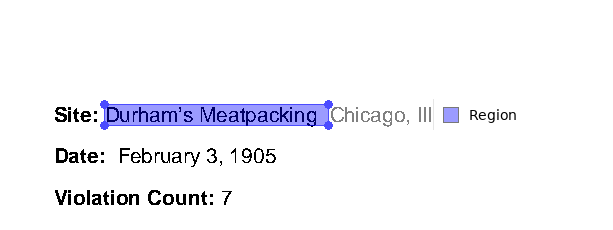
site.endpoint.extract_text()'Durham’s Meatpacking'The violation count
Section titled “The violation count”Same move as the date — no surprises this time:
page.find(text="Violation Count").right().extract_text()'7'The summary
Section titled “The summary”Try the same move on “Summary:” and watch it go wrong:
page.find(text="Summary").right().extract_text()'Worst of any, however, were the fertilizer men, and those who served in the cooking rooms.'That’s one line of a paragraph that runs seven. .right() stayed in the label’s row, but the summary wraps. What you actually want is everything below the label, down to the horizontal rule that closes the section. .below() defaults to the full page width, until='line' stops at the rule, and include_source=True keeps the label’s own row in the region:
summary = page.find(text="Summary").below(until='line', include_source=True)summary.show(crop=True)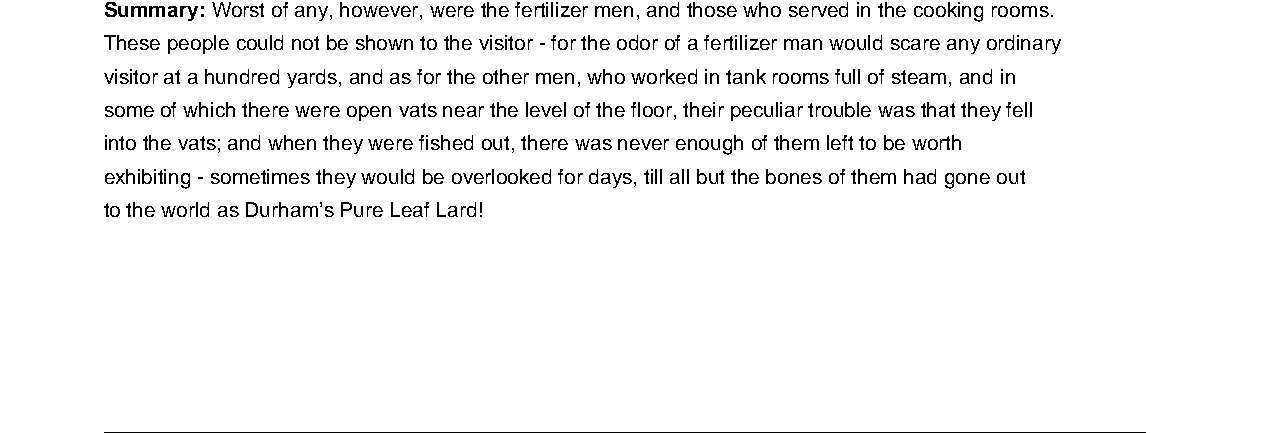
summary.extract_text(newlines=False)'Summary: Worst of any, however, were the fertilizer men, and those who served in the cooking rooms. These people could not be shown to the visitor - for the odor of a fertilizer man would scare any ordinary visitor at a hundred yards, and as for the other men, who worked in tank rooms full of steam, and in some of which there were open vats near the level of the floor, their peculiar trouble was that they fell into the vats; and when they were fished out, there was never enough of them left to be worth exhibiting - sometimes they would be overlooked for days, till all but the bones of them had gone out to the world as Durham’s Pure Leaf Lard!'newlines=False folds the wrapped lines back into one string.
Tables
Section titled “Tables”page.extract_table() finds the table on the page and returns a TableResult:
page.extract_table()TableResult(rows=8…)This page has exactly one table, so grabbing it page-wide works. On a page with several tables — or with headers that confuse the detector — the reliable move is to describe the region the table lives in and extract from that.
Whole page
TableResult.to_df() hands you a pandas DataFrame:
page.extract_table().to_df()| Statute | Description | Level | Repeat? | |
|---|---|---|---|---|
| 0 | 4.12.7 | Unsanitary Working Conditions. | Critical | <NA> |
| 1 | 5.8.3 | Inadequate Protective Equipment. | Serious | <NA> |
| 2 | 6.3.9 | Ineffective Injury Prevention. | Serious | <NA> |
| 3 | 7.1.5 | Failure to Properly Store Hazardous Materials. | Critical | <NA> |
| 4 | 8.9.2 | Lack of Adequate Fire Safety Measures. | Serious | <NA> |
| 5 | 9.6.4 | Inadequate Ventilation Systems. | Serious | <NA> |
| 6 | 10.2.7 | Insufficient Employee Training for Safe Work P... | Serious | <NA> |
Scoped to a region
Anchor on the “Violations” heading (the 12 pt bold text from earlier), take everything below it until the fine print, and trim the whitespace:
violations = ( page .find('text[size=max()]:bold:contains("Violations")') .below(until='text[size=min()]', include_endpoint=False) .trim())violations.show(crop=True)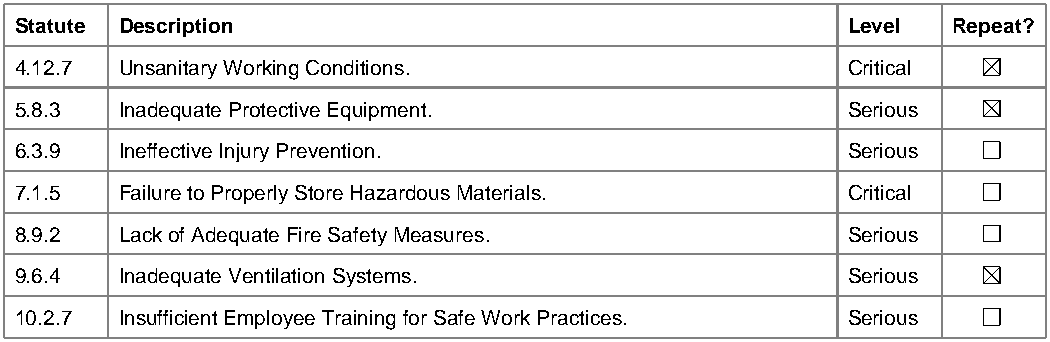
The region is the table — so extracting from it can’t pick up anything else:
violations.extract_table().to_df()| Statute | Description | Level | Repeat? | |
|---|---|---|---|---|
| 0 | 4.12.7 | Unsanitary Working Conditions. | Critical | <NA> |
| 1 | 5.8.3 | Inadequate Protective Equipment. | Serious | <NA> |
| 2 | 6.3.9 | Ineffective Injury Prevention. | Serious | <NA> |
| 3 | 7.1.5 | Failure to Properly Store Hazardous Materials. | Critical | <NA> |
| 4 | 8.9.2 | Lack of Adequate Fire Safety Measures. | Serious | <NA> |
| 5 | 9.6.4 | Inadequate Ventilation Systems. | Serious | <NA> |
| 6 | 10.2.7 | Insufficient Employee Training for Safe Work P... | Serious | <NA> |
If extract_table() comes back empty or scrambled, scoping to a region like this is the first thing to try.
One honest gap in both versions: the Repeat? column is all <NA>. Look at the page — those cells are drawn checkboxes, not text, so text extraction has nothing to read there. Getting checkbox states out is a separate, model-backed step (detect_checkboxes()), which is out of scope for this page.
Ignoring content with exclusion zones
Section titled “Ignoring content with exclusion zones”Now imagine two hundred of these reports, and all you want is the text-y top half — no letterhead, no table, no footnote. Instead of describing what you want, describe what you don’t want.
page.region() cuts a rectangle by coordinates; spatial navigation builds the other zone from the thick rule above the table:
letterhead = page.region(top=0, left=0, height=80)below_the_rule = page.find('line[width>=2]').below()(letterhead + below_the_rule).show()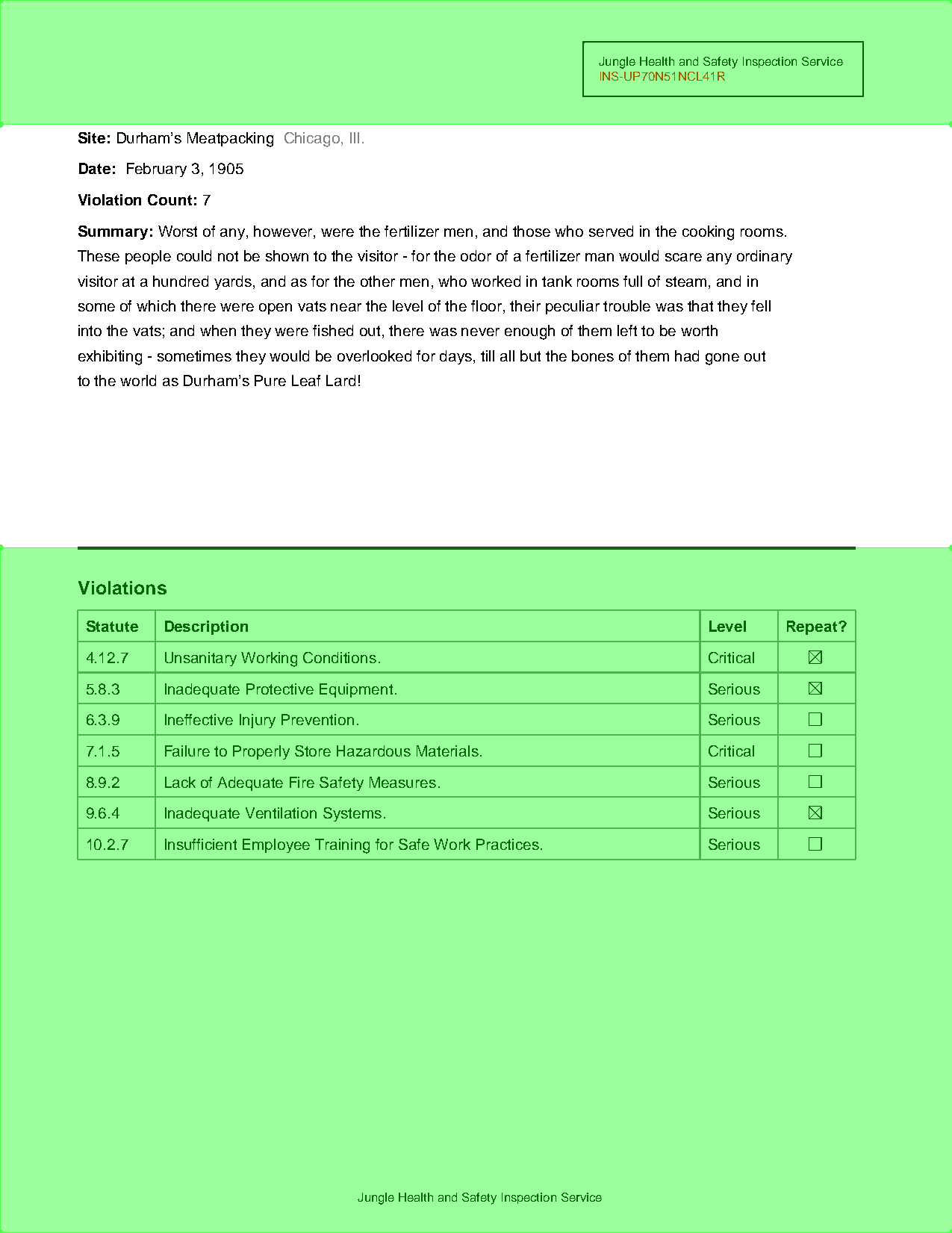
Register both as exclusions. page.show(exclusions='red') confirms what’s being blocked:
page.add_exclusion(letterhead)page.add_exclusion(below_the_rule)page.show(exclusions='red')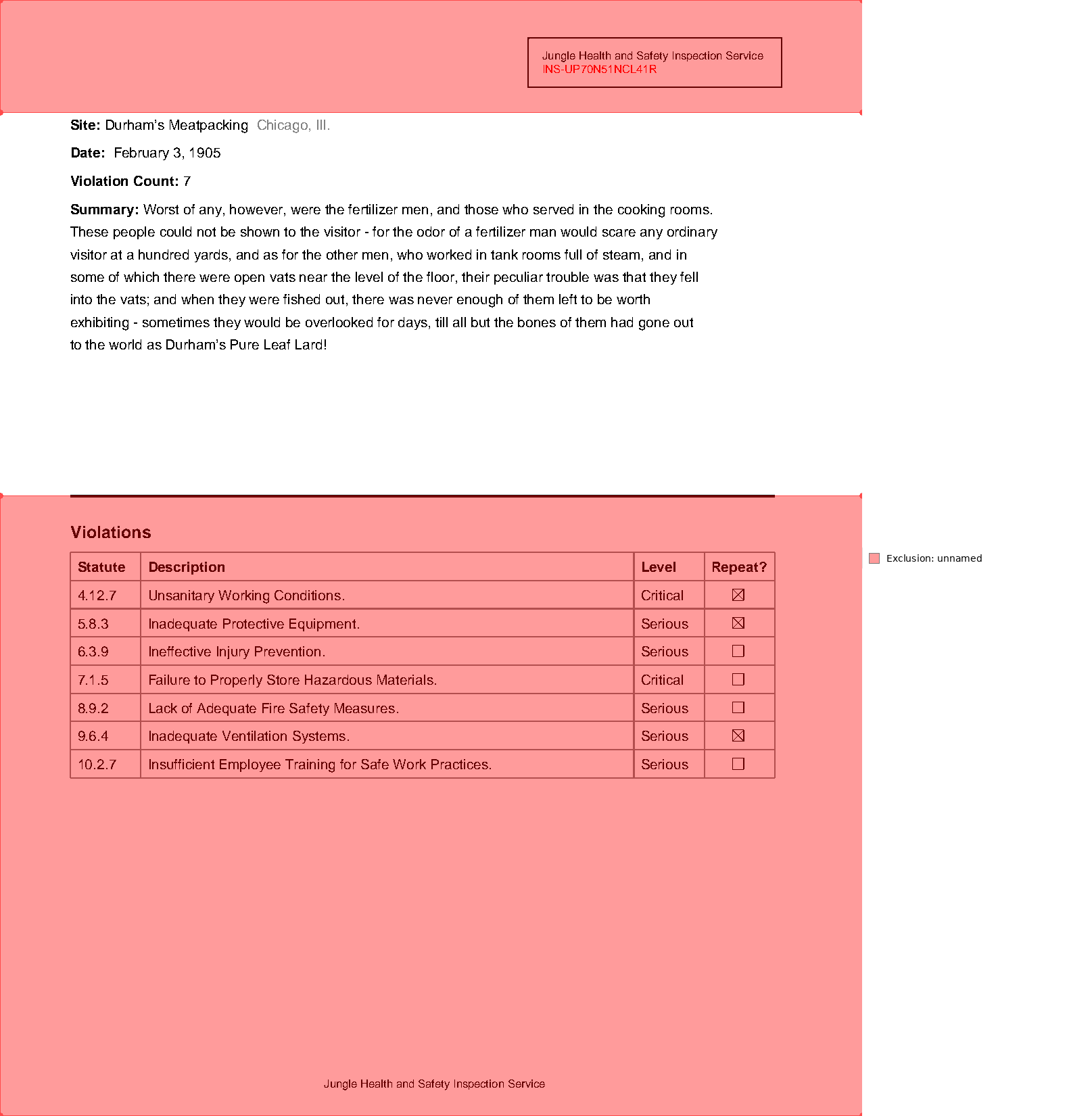
Exclusions don’t delete anything — they filter what read operations return. The same extract_text() from the top of this page now skips both zones:
print(page.extract_text())Site: Durham’s Meatpacking Chicago, Ill.
Date: February 3, 1905
Violation Count: 7
Summary: Worst of any, however, were the fertilizer men, and those who served in the cooking rooms.
These people could not be shown to the visitor - for the odor of a fertilizer man would scare any ordinary
visitor at a hundred yards, and as for the other men, who worked in tank rooms full of steam, and in
some of which there were open vats near the level of the floor, their peculiar trouble was that they fell
into the vats; and when they were fished out, there was never enough of them left to be worth
exhibiting - sometimes they would be overlooked for days, till all but the bones of them had gone out
to the world as Durham’s Pure Leaf Lard!For a whole stack of reports, register the exclusions once on the PDF as functions — each page evaluates them when it loads, and add_exclusion hands the PDF back so registrations can chain:
pdf.add_exclusion(lambda page: page.region(top=0, left=0, height=80))pdf.add_exclusion(lambda page: page.find('line[width>=2]').below())<PDF source='pdfs/01-practice.pdf' pages=1>Headers, footers, page-number stamps, “DRAFT” watermarks — anything that repeats across a filing is a candidate for an exclusion instead of a workaround in every extraction.
What you can do now
Section titled “What you can do now”Open a PDF, dump its text, select elements by type, attribute, and content, navigate from labels to values, pull a table into a DataFrame, and blank out the parts you never want to see again. All of it assumed the PDF has real text underneath. When it doesn’t — when the page is a scan — that’s what OCR is for, and that’s the next page.