Multi-column pages that read in the wrong order
Sometimes you have data that flows over multiple columns, or pages, or just isn’t arranged in a “normal” top-to-bottom way. This page has three columns of text with two tables buried in them — and a plain extract_text() walks straight across all three columns at once, interleaving sentences that have nothing to do with each other.
from natural_pdf import PDF
pdf = PDF("pdfs/multicolumn.pdf")page = pdf.pages[0]page.show()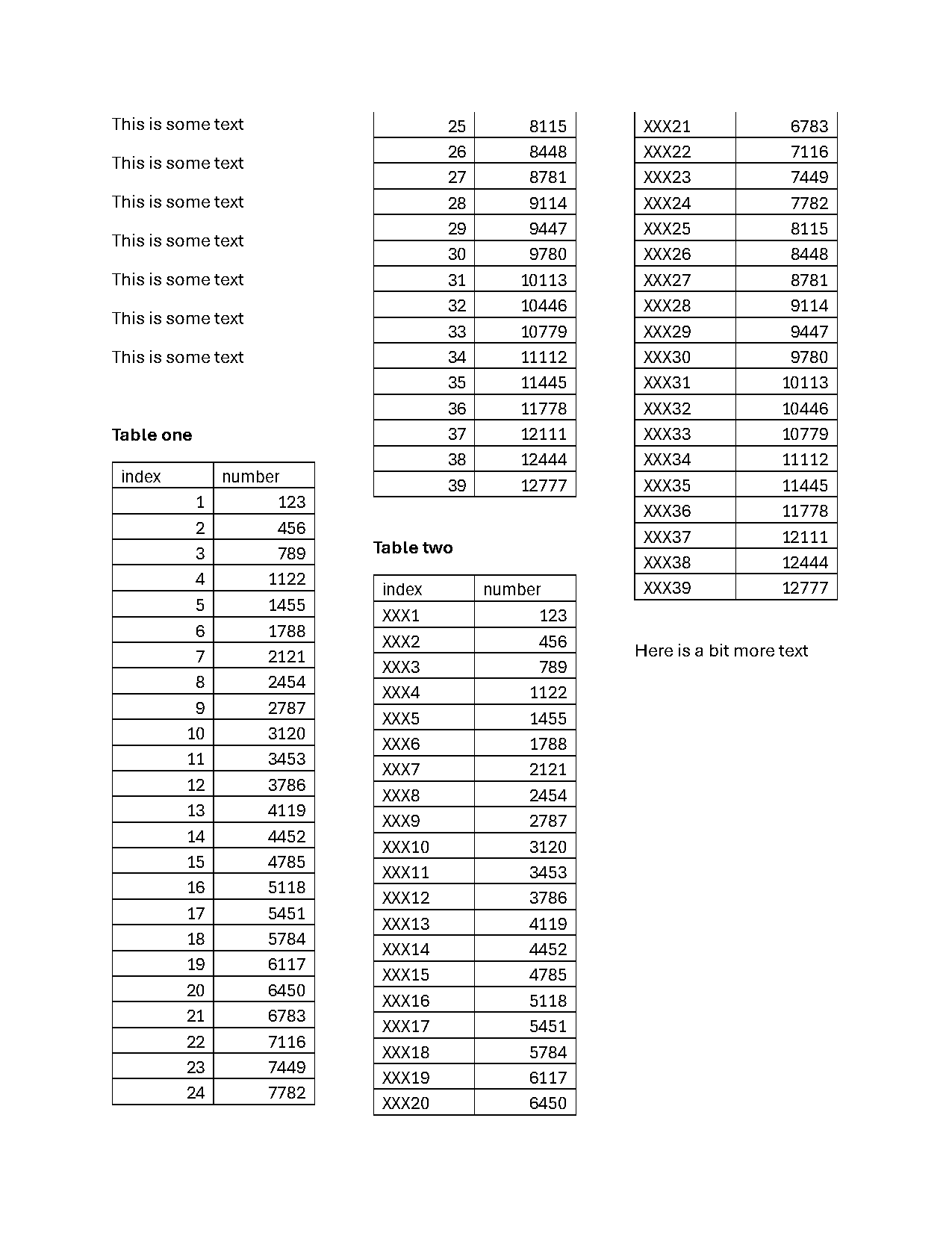
Look at the first few hundred characters of a naive extraction — each line jumps from column to column:
print(page.extract_text(layout=True)[:500])This is some text 25 8115 XXX21 6783
This is some text 26 8448 XXX22 7116
27 8781 XXX23 7449
This is some text 28 9114 XXX24 7782
29 9447 XXX25 8115The fix is to reflow the page: cut out each column as a region, then paste the pieces back together end-to-end so “below” means “further along in reading order.”
Cut the page into columns
Section titled “Cut the page into columns”page.region() cuts a rectangle by coordinates. Three vertical slices, each a third of the page wide:
left = page.region(left=0, right=page.width/3, top=0, bottom=page.height)mid = page.region(left=page.width/3, right=page.width/3*2, top=0, bottom=page.height)right = page.region(left=page.width/3*2, right=page.width, top=0, bottom=page.height)page.highlight(left, mid, right)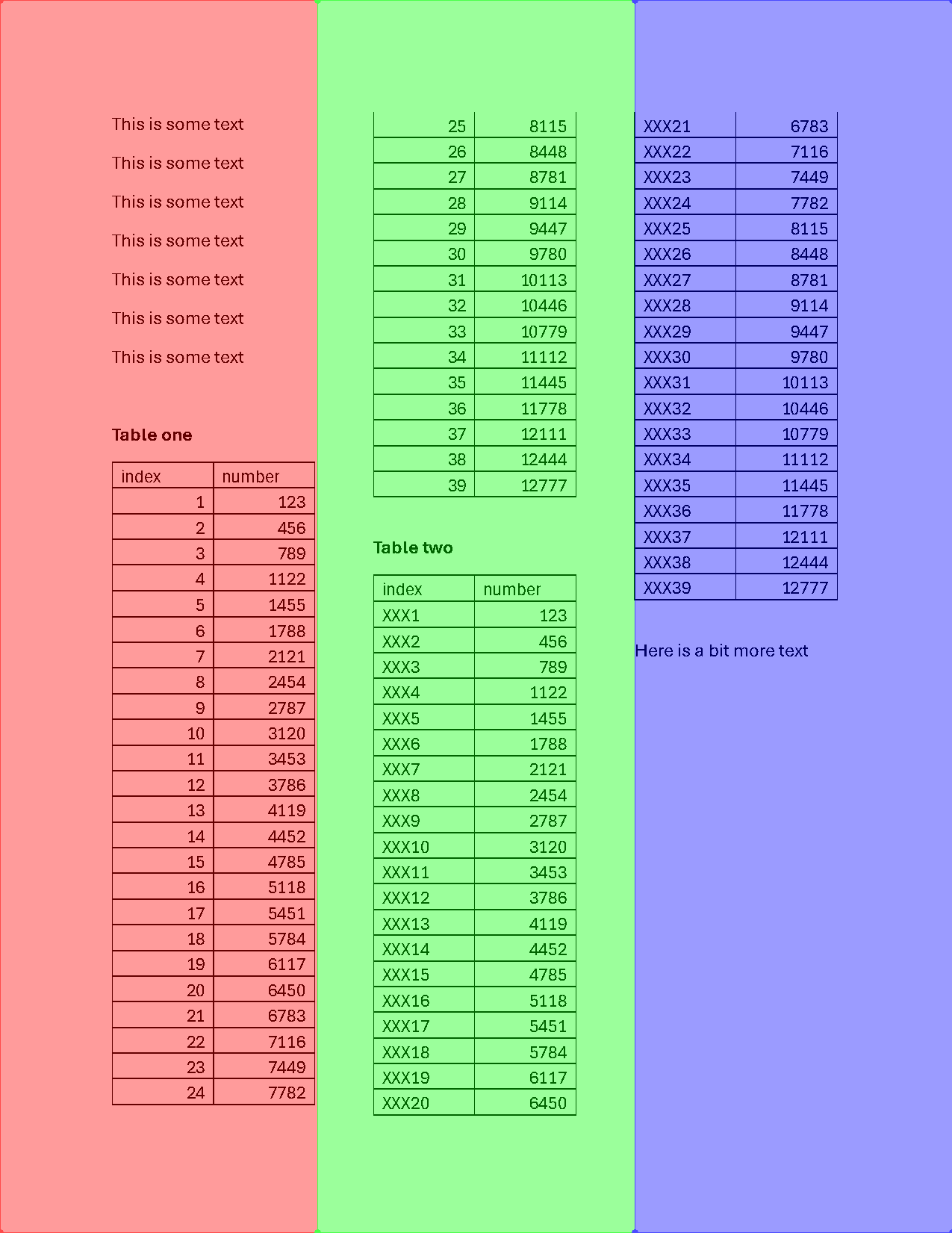
Stack them with a Flow
Section titled “Stack them with a Flow”A Flow connects separate regions (or whole pages) vertically or horizontally. Stacking the three columns vertically turns the page into one long single-column document:
from natural_pdf.flows import Flow
stacked = [left, mid, right]flow = Flow(segments=stacked, arrangement="vertical")flow.show()
Now any spatial operation — “find something below this” — follows reading order, even when that means jumping from the bottom of one column to the top of the next:
region = ( flow .find('text:contains("Table one")') .below( until='text:contains("Table two")', include_endpoint=False ))region.show()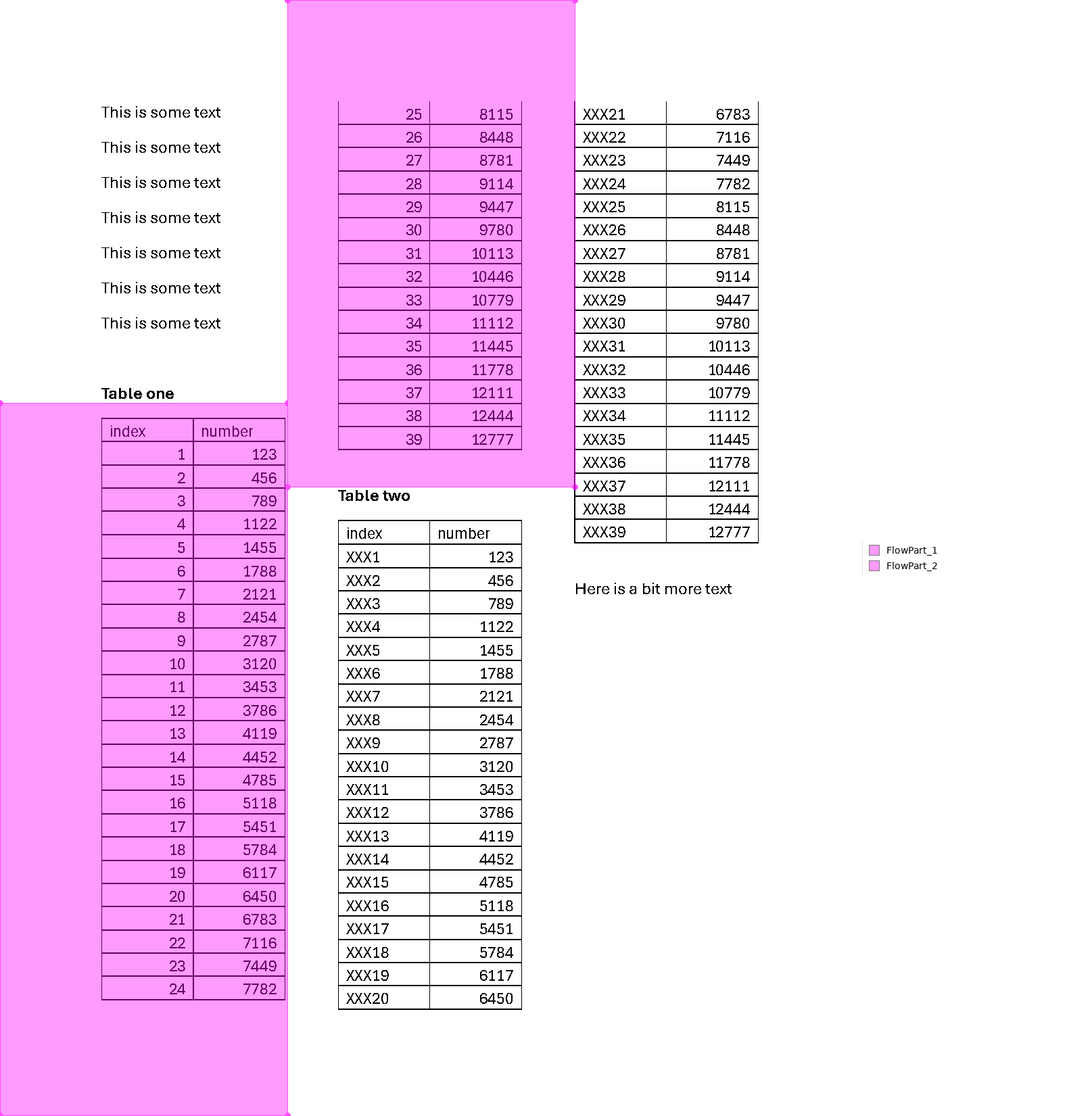
Pull out every table
Section titled “Pull out every table”The tables sit under bold headers. Find the headers first — the width > 10 filter skips some tiny empty boxes that also register as bold:
flow.find_all('text[width>10]:bold').show()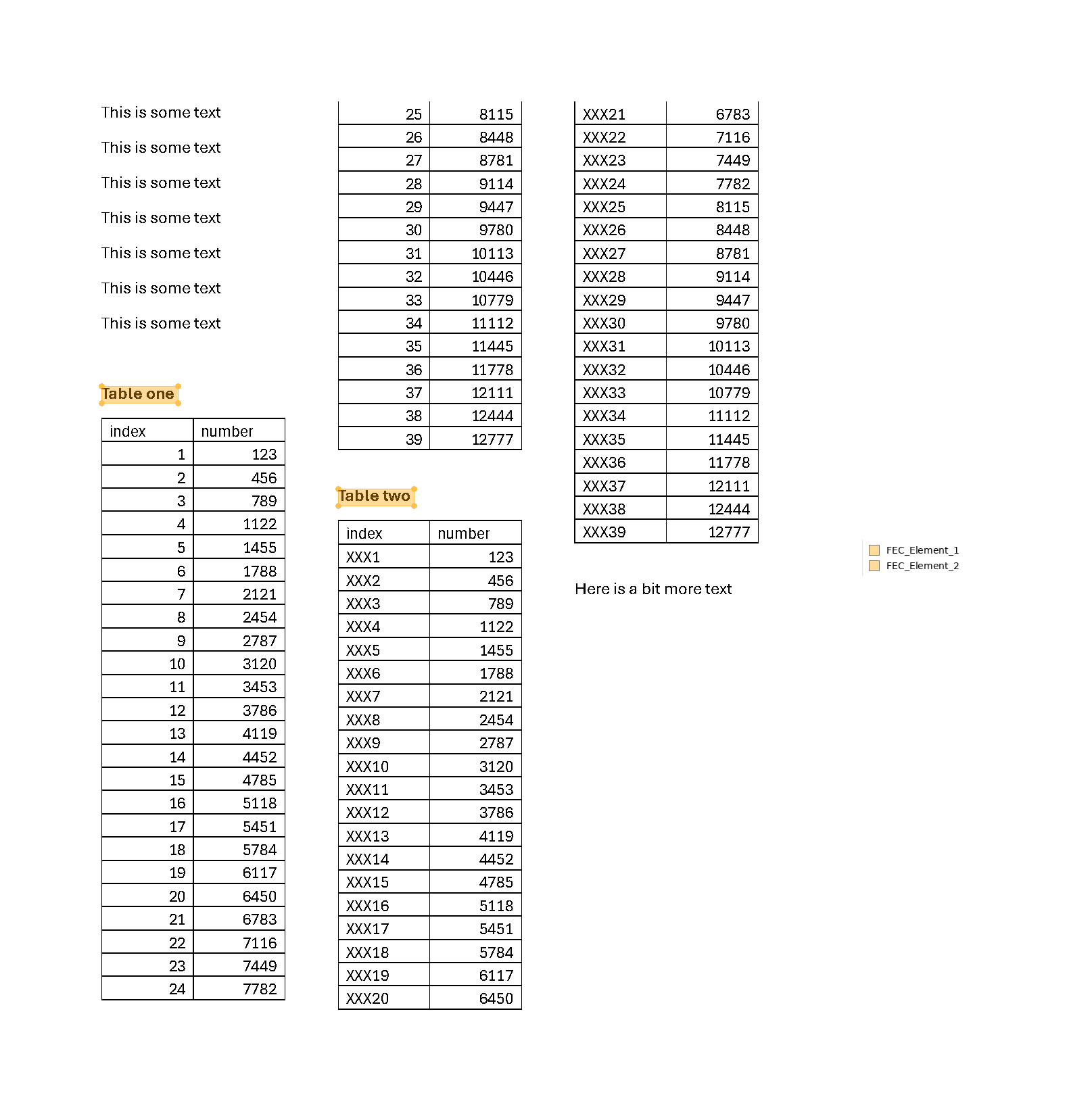
Then take each header and sweep down until the next bold header or the closing paragraph, whichever comes first. The | in the selector means “either of these”:
regions = ( flow .find_all('text[width>10]:bold') .below( until='text[width>10]:bold|text:contains("Here is a bit")', include_endpoint=False ))regions.show()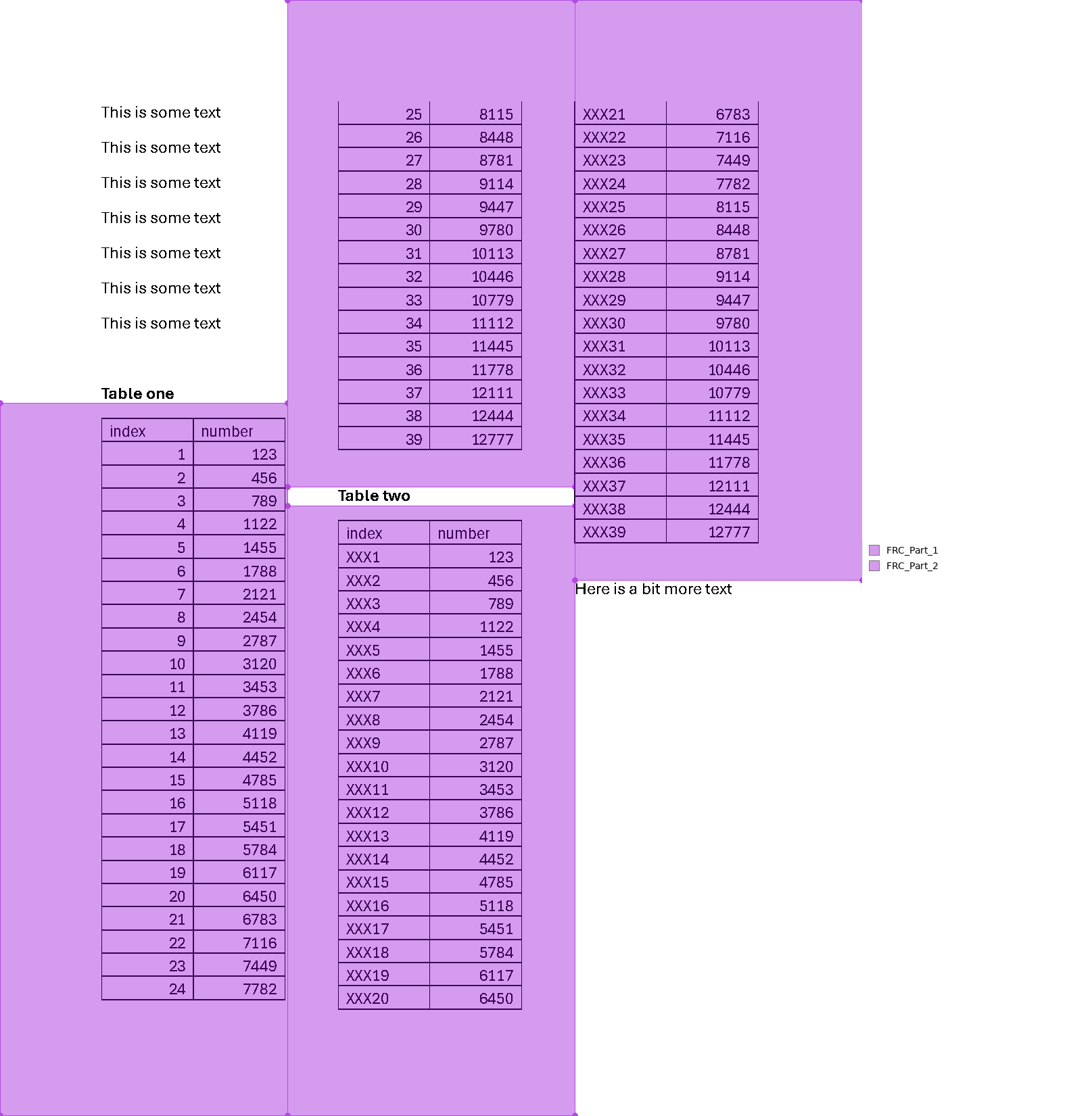
Each region is one table, so extract_table() on a region can’t grab the wrong one:
regions[0].extract_table().to_df()| index | number | |
|---|---|---|
| 0 | 1 | 123 |
| 1 | 2 | 456 |
| 2 | 3 | 789 |
| 3 | 4 | 1122 |
| 4 | 5 | 1455 |
| 5 | 6 | 1788 |
| 6 | 7 | 2121 |
| 7 | 8 | 2454 |
| 8 | 9 | 2787 |
| 9 | 10 | 3120 |
| 10 | 11 | 3453 |
| 11 | 12 | 3786 |
| 12 | 13 | 4119 |
| 13 | 14 | 4452 |
| 14 | 15 | 4785 |
| 15 | 16 | 5118 |
| 16 | 17 | 5451 |
| 17 | 18 | 5784 |
| 18 | 19 | 6117 |
| 19 | 20 | 6450 |
| 20 | 21 | 6783 |
| 21 | 22 | 7116 |
| 22 | 23 | 7449 |
| 23 | 24 | 7782 |
| 24 | 25 | 8115 |
| 25 | 26 | 8448 |
| 26 | 27 | 8781 |
| 27 | 28 | 9114 |
| 28 | 29 | 9447 |
| 29 | 30 | 9780 |
| 30 | 31 | 10113 |
| 31 | 32 | 10446 |
| 32 | 33 | 10779 |
| 33 | 34 | 11112 |
| 34 | 35 | 11445 |
| 35 | 36 | 11778 |
| 36 | 37 | 12111 |
| 37 | 38 | 12444 |
| 38 | 39 | 12777 |
And if the tables share a structure, combine them into one DataFrame:
import pandas as pd
dfs = regions.apply(lambda region: region.extract_table().to_df())merged = pd.concat(dfs, ignore_index=True)merged| index | number | |
|---|---|---|
| 0 | 1 | 123 |
| 1 | 2 | 456 |
| 2 | 3 | 789 |
| 3 | 4 | 1122 |
| 4 | 5 | 1455 |
| ... | ... | ... |
| 73 | XXX35 | 11445 |
| 74 | XXX36 | 11778 |
| 75 | XXX37 | 12111 |
| 76 | XXX38 | 12444 |
| 77 | XXX39 | 12777 |
78 rows × 2 columns
If your columns aren’t this tidy
Section titled “If your columns aren’t this tidy”This page splits into exact thirds, so hardcoded coordinates work. When column widths vary — or you can’t hand-measure every document in a stack — page.analyze_layout() can detect text blocks for you (it downloads YOLO weights on first use), and the detected regions feed into a Flow the same way. The same Flow trick also spans pages: pass pdf.pages as the segments and a table that breaks across a page boundary becomes one table.