OCR: when the page is a picture
Same inspection report as the last page — but this copy came off a scanner. It looks identical on screen, and none of it is text. This page is about getting a text layer back: running OCR, checking where it went wrong, getting second opinions, and knowing when to reach for something heavier.
The failure first
Section titled “The failure first”Open it and look. Nothing seems wrong:
from natural_pdf import PDF
pdf = PDF("pdfs/needs-ocr.pdf")page = pdf.pages[0]page.show()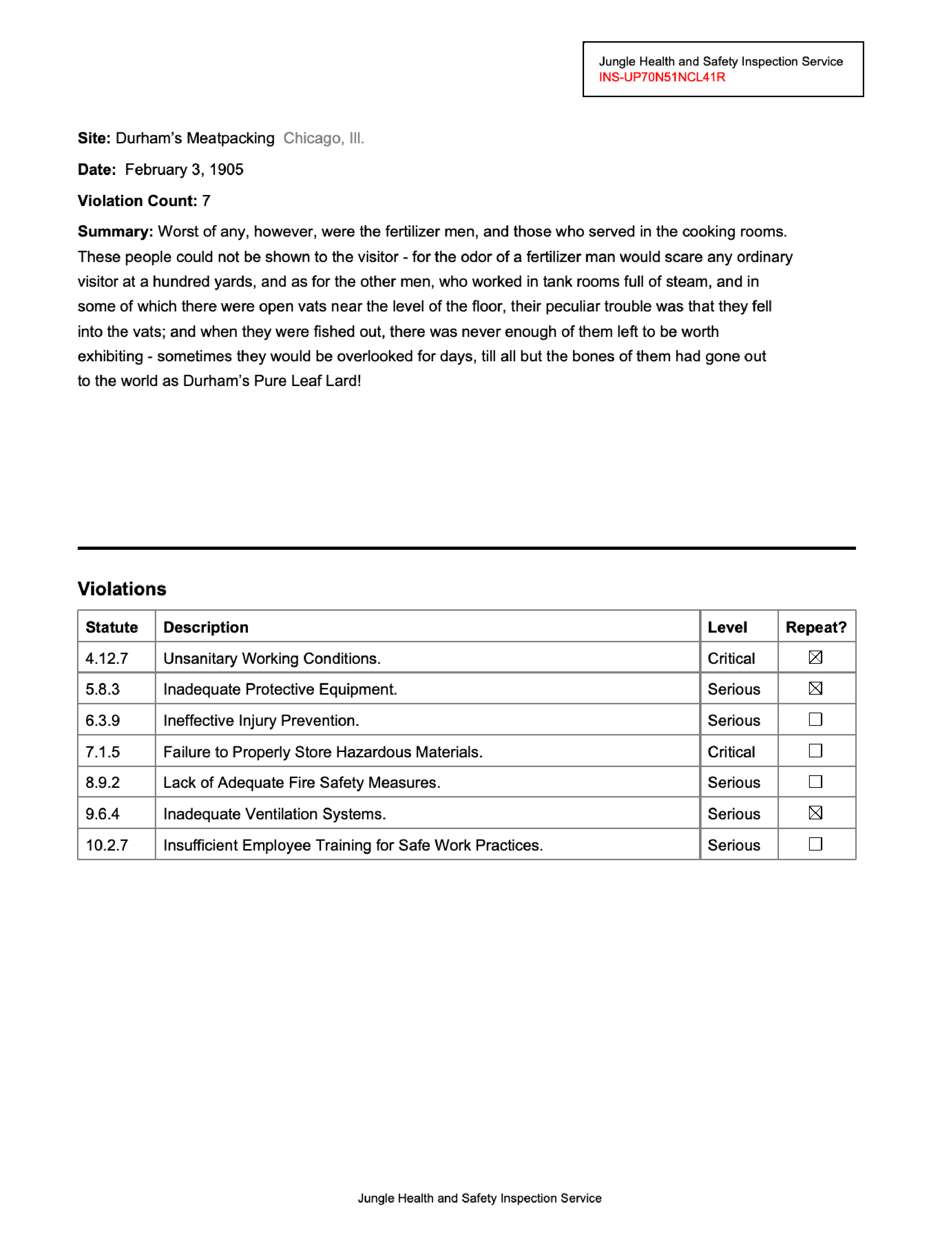
Now try the very first move from the last page:
page.extract_text()''An empty string. describe() explains why:
page.describe()Page 1 Summary
Page Info:
- page number: 1
- dimensions: 1275 x 1651 pts
Count: 1
One element on the whole page — an image. There are no words, no lines, no rects, because the “text” you’re seeing is pixels. Every selector you know returns nothing until something creates text elements. That something is OCR.
Run the default engine
Section titled “Run the default engine”apply_ocr() runs RapidOCR, the default engine. Its models ship inside the rapidocr package, so there’s no download on first use — it just runs. One wrinkle: the engine narrates its model loading at INFO level, and it resets its own log level as it initializes each component, so the reliable mute button is a logger filter:
import logginglogging.getLogger("RapidOCR").addFilter(lambda r: r.levelno >= logging.WARNING)
page.apply_ocr()len(page.find_all('text'))3939 brand-new text elements, each with a bounding box and the recognized string. They’re ordinary elements now — the same selectors and spatial navigation from the last page work on them. Read the whole thing:
print(page.extract_text())Jungle Health and Safety Inspection Service
INS-UP70N51NCL41R
Site: Durham's Meatpacking Chicago, II..
Date: February 3, 1905
Violation Count: 7.
Summary: Worst of any, however, were the fertilizer men, and those who served in the cooking rooms.
These people could not be shown to the visitor - for the odor of a fertilizer man would scare any ordinary
visitor at a hundred yards, and as for the other men, who worked in tank rooms full of steam, and in
some of which there were open vats near the level of the floor, their peculiar trouble was that they fell
into the vats; and when they were fished out, there was never enough of them left to be worth
exhibiting - sometimes they would be overlooked for days, till all but the bones of them had gone out.
to the world as Durham's Pure Leaf Lard!.
Violations
Statute Description Level Repeat?
4.12.7 Unsanitary Working Conditions. Critical
5.8.3 Inadequate Protective Equipment. Serious
6.3.9 Ineffective Injury Prevention. Serious
7.1.5 Failure to Properly Store Hazardous Materials.. Critical
8.9.2 Lack of Adequate Fire Safety Measures. Serious
9.6.4 Inadequate Ventilation Systems. Serious
10.2.7 Insufficient Employee Training for Safe Work Practices.. Serious
Jungle Health and Safety Inspection ServiceAt first glance, very good. Read closer, against the original: “Chicago, II..” should be Chicago, Ill., “Lard!.” has grown an extra period, and so have several statute descriptions (“Materials..”, “7.”). This is what OCR errors usually look like — not garbage, but confusable characters: Ill read as II., stray punctuation, l and 1 swapped.
Where to double-check
Section titled “Where to double-check”Every OCR’d element carries a confidence score from the engine. Color the page by it:
page.find_all('text').show(group_by='confidence')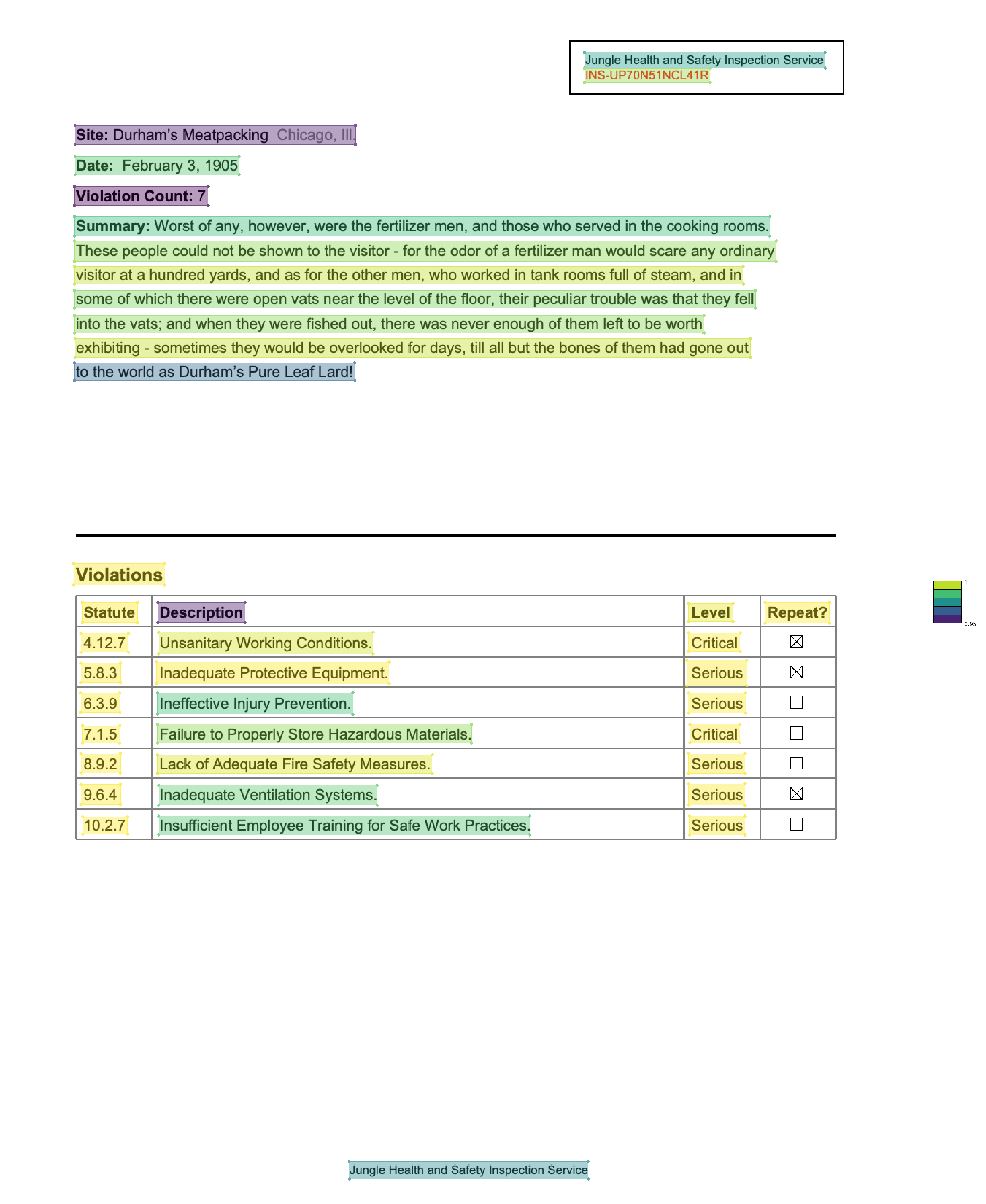
Here’s the uncomfortable part: the scale in the corner runs from 0.95 to 1.0. The engine is at least 95% confident about everything — including “Chicago, II..”, which is wrong. Confidence tells you where the engine hesitated, and that’s worth a look (page.find_all('text[confidence<0.9]') is the usual triage filter), but high confidence is not correctness. Nothing on this page falls below 0.95 and there are still errors.
One practical consequence: your selectors now have to match misread text. The :ocr() pseudo-class matches through common confusions — you type what the page should say, it tolerates what OCR actually produced:
page.find('text:ocr("Chicago, Ill.")').extract_text()"Site: Durham's Meatpacking Chicago, II..":contains("Chicago, Ill.") would have found nothing; :ocr(...) lands on the misread line. Use it whenever you’re anchoring on OCR’d text.
Get a second opinion
Section titled “Get a second opinion”You could squint at every line yourself, or you could make two OCR runs argue and only read where they disagree. compare_ocr() runs each engine spec on a rendered copy of the page — it doesn’t touch the elements you already have. The cheapest second opinion is the same engine at a higher resolution:
comparison = page.compare_ocr(engines=[ "rapidocr", {"engine": "rapidocr", "resolution": 300},])comparison.summary().drop(columns="runtime_s")| engine | regions_found | agreement | near_miss | catastrophic | missing | avg_confidence | |
|---|---|---|---|---|---|---|---|
| 0 | rapidocr | 23 | 21 | 1 | 1 | 0 | 0.988 |
| 1 | rapidocr(resolution=300) | 23 | 21 | 1 | 1 | 0 | 0.993 |
The two runs found the same 23 regions and agree on 21 of them. show() draws each run’s transcription so you can eyeball the disagreements:
comparison.show()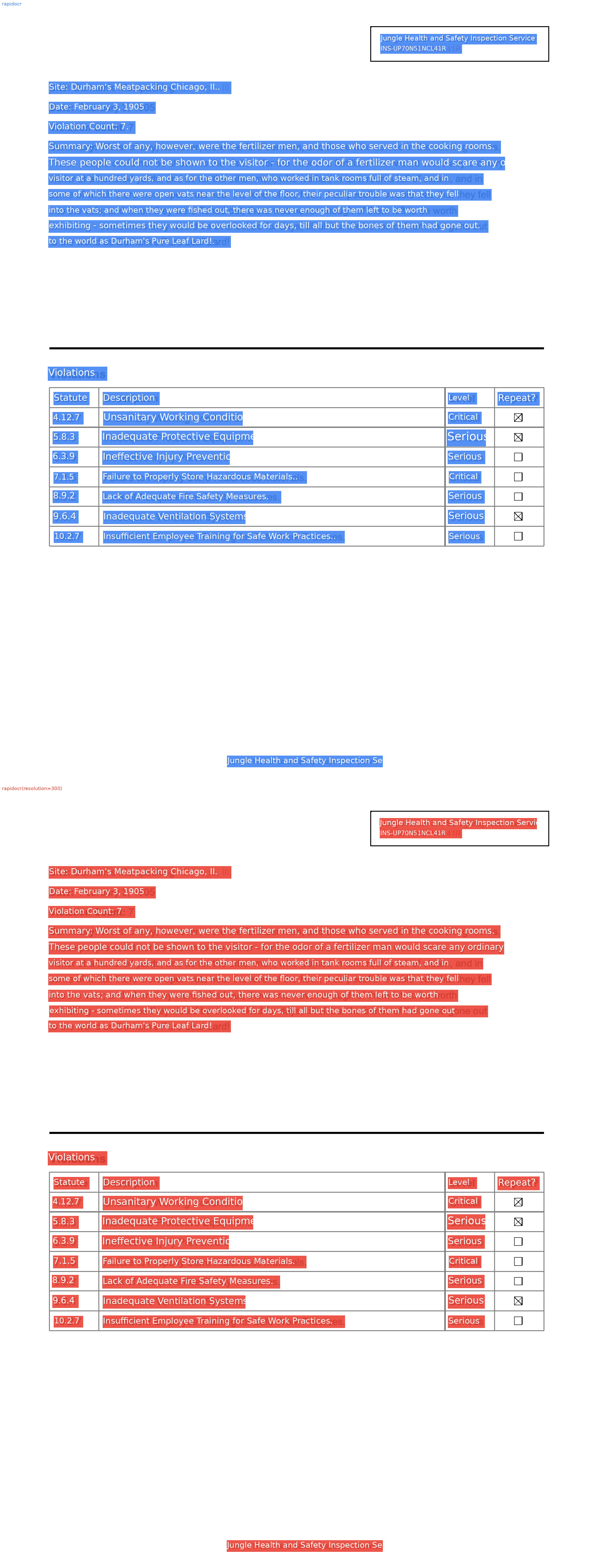
The two flagged regions here turn out to be word-order flips inside table rows (“Statute Description” vs “Description Statute”), not misreads — the alignment groups words into rows before comparing, and the runs split those rows differently. And note what’s missing from the disagreement list: “Chicago, II..”. Both runs made the same mistake, so the comparison can’t see it. Disagreement finds errors; agreement doesn’t prove correctness.
The comparison gets more useful the more different the engines are. Other engines install separately and download their models on first run:
comparison = page.compare_ocr(engines=["rapidocr", "easyocr", "doctr"])comparison.summary()comparison.apply(engine="doctr") # persist the winner's elements to the page# illustrative — engine counts and scores vary by machine and version engine regions_found agreement near_miss catastrophic missing avg_confidence0 rapidocr 23 19 3 1 0 0.9881 easyocr 23 19 2 2 0 0.9212 doctr 23 20 2 1 0 0.974comparison.heatmap() shades regions by how much the engines disagree, comparison.diff() shows character-level diffs against the consensus, and comparison.loupe() zooms into each disputed crop. When one engine wins, comparison.apply(engine=...) replaces the page’s OCR elements with that run’s output.
Fix one region, not the whole page
Section titled “Fix one region, not the whole page”“Chicago, II..” is one line. Re-running the whole page at higher resolution for one line is wasteful — OCR is scoped, so run it on a region instead. apply_ocr() on a region replaces only the OCR elements inside it:
site = page.find('text:ocr("Chicago, Ill.")')site.expand(5).apply_ocr(resolution=300)page.find('text:contains("Chicago")').extract_text()'Chicago, III.'Better — the doubled period is gone — but it now reads “III.” with capital i’s instead of “Ill.” with l’s. In this font those glyphs are pixel-identical, and no resolution fixes a genuine ambiguity. This is the honest ceiling of classic OCR: some errors are recoverable with more pixels, and some need a reader that knows Chicago, Ill. is a place. That’s what the next two sections are about.
Detect boxes, read them with something smarter
Section titled “Detect boxes, read them with something smarter”detect_only=True runs just the detection half of OCR: it finds where the text is and creates elements with boxes but no strings.
pdf = PDF("pdfs/needs-ocr.pdf")page = pdf.pages[0]page.apply_ocr(detect_only=True)page.find_all('text').show()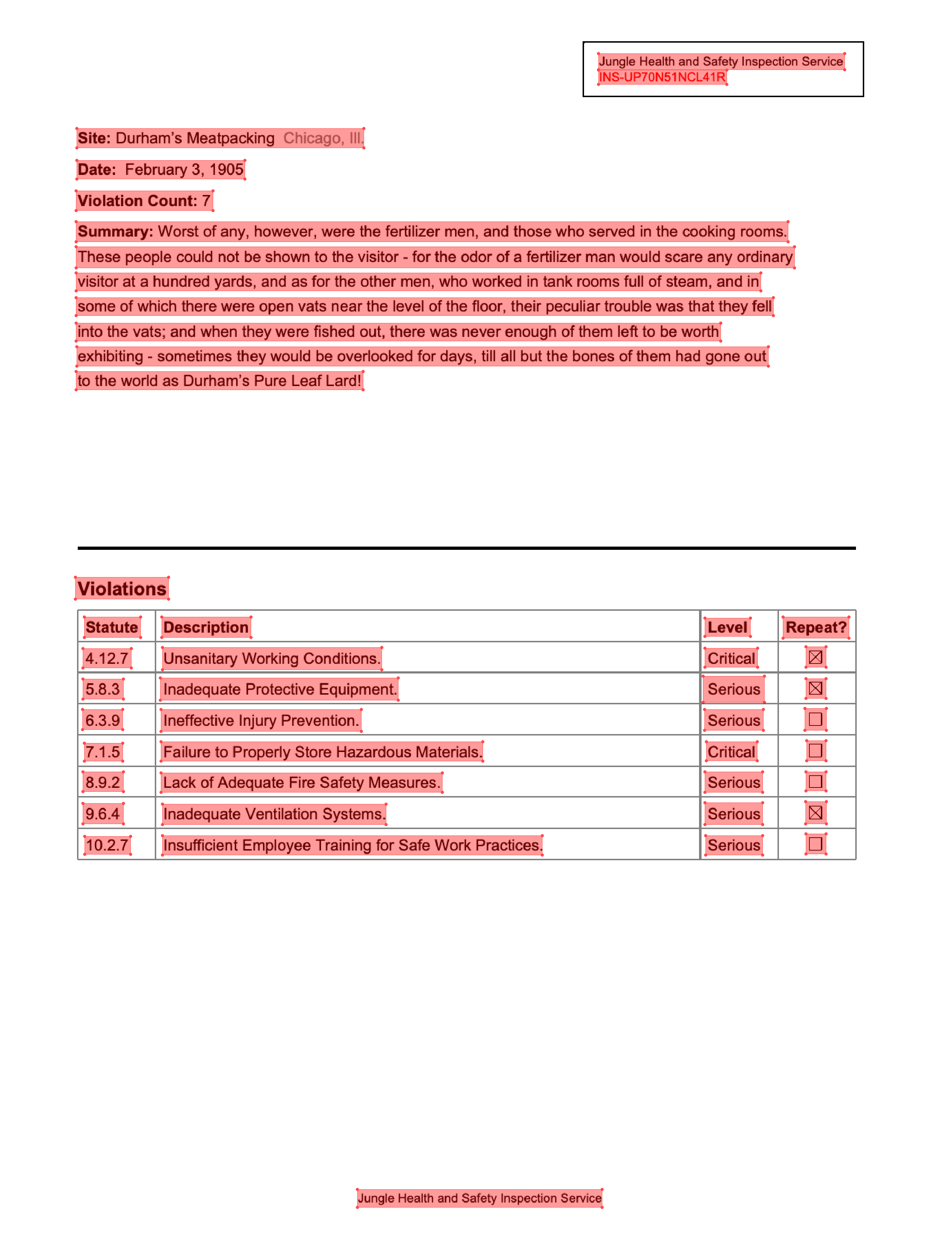
46 located, unread boxes. Why would you want that? Because now you can hand each crop to a stronger reader — a remote vision model — one small image at a time. Sending cropped boxes instead of the whole page keeps the model on task and gives every string a real bounding box, which whole-page LLM transcription can’t do:
from openai import OpenAI
client = OpenAI(api_key=API_KEY)   # any OpenAI-compatible API
page.find_all('text').apply_ocr( engine="vlm", model="gpt-4o-mini", client=client, instructions="Return only the exact text visible in the image. " "It is from a 1905 slaughterhouse inspection report.",)print(page.find('text:contains("Chicago")').extract_text())# illustrative — requires an API key; output varies by modelSite: Durham's Meatpacking Chicago, Ill.The instructions string is where domain context goes — telling the model it’s reading a 1905 inspection report is exactly the hint that resolves III vs Ill.
The heavyweight local option
Section titled “The heavyweight local option”There are also local vision-language OCR models — no API key, but a real download. GLM-OCR is a 0.9B-parameter model that runs layout detection plus per-region OCR in one call:
page.apply_ocr(engine="glm_ocr")print(page.extract_text())On this document it reads “Chicago, Ill.” and “Lard!” correctly — a language model knows which words exist. The trade is startup cost and runtime. A reasonable habit: RapidOCR first, compare_ocr() to find out whether you even have a problem, and the heavy machinery only for the documents (or regions) that earn it.
What you can do now
Section titled “What you can do now”Recognize a scan by its empty extract_text(), put a text layer on it with apply_ocr(), color the page by confidence without mistaking confidence for truth, match misread text with :ocr(), make engines argue via compare_ocr(), and scope OCR to a region — or to detected boxes read by a stronger model. The text layer you build here is the input for everything else: the next page asks questions of a document and gets structured data back.